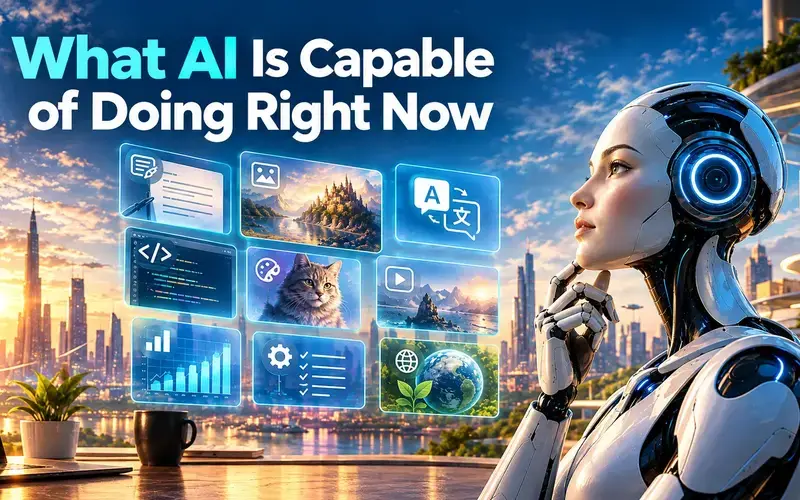
Today’s AI can draft and edit writing, summarize long documents, read images, write working code, and handle short computer tasks while a person watches. It still struggles to finish long, messy projects on its own. That gap between a polished demo and a finished, client-ready job is the most useful thing to grasp before handing AI real work.
As of October 2026, what AI is capable of doing right now is speeding up well-defined pieces of work (writing, research, analysis, coding, and image or audio creation), while fully finishing long, multi-step projects without human review remains rare. Benchmarks built from real freelance and professional work show top agents completing only a small share of end-to-end jobs at a professional standard.
The practical upshot is clear. People who match AI to the right tasks and check its output save hours. People who trust it blindly end up redoing work.
What Can AI Create and Understand?
Modern artificial intelligence handles text, images, audio, and video in a single conversation. Generative AI produces new content, and multimodal AI reads several input types at once, so a user can paste a contract, upload a photo, and speak a question in one session.
Draft, Edit, Translate, and Explain Text
Text is where AI performs most dependably. Natural language processing (the branch of AI that works with human language) lets tools like ChatGPT, Claude, and Gemini turn rough notes into clean drafts within seconds.
Tasks that hold up well in daily use include:
- Summarizing a long PDF, email thread, or lease into a short list of key points
- Writing first drafts of emails, bios, reports, and proposals
- Rewriting text for a different tone or reading level
- Translating between common languages
- Explaining a confusing topic step by step, then quizzing the reader
Summaries are the safest starting point because the AI works from the document a person supplies. Open-ended questions that rely on the model’s memory carry more risk of confident mistakes.
Generate and Interpret Images, Audio, and Video
Computer vision lets AI “see” photos, screenshots, charts, and scanned documents. Image analysis now covers jobs like reading an error message, pulling numbers from a receipt, or describing a graph.
ChatGPT gained the ability to see, hear, and speak back in 2023, and OpenAI noted at launch that its vision model performed poorly with some non-English text, especially non-Roman scripts. Tools have improved since. OpenAI’s developer materials now include guides for live translation apps and document understanding published in 2026.
On the creative side, AI generates logos, ad images, sound effects, and voiceovers. Video generation works for short clips, though longer pieces still show visual errors and broken continuity.

How Do Today’s AI Systems Learn These Skills?
These skills come from machine learning, where software finds patterns in huge amounts of examples. Neural networks, which are layered math systems loosely inspired by the brain, adjust millions or billions of internal settings during training.
A language model learns by predicting the next word across vast amounts of text. Image models learn by connecting pictures with their descriptions. After that base training, companies refine models with human feedback so answers become more helpful and safer.
This method explains both strengths and flaws. A model reproduces patterns very well, but it has no built-in fact checker, so it writes a wrong answer in the same confident tone as a right one.
How Can AI Analyze Information and Solve Problems?
AI turns piles of documents, numbers, and code into answers a person can act on. Its value grows when it works from the user’s own files and shows its work for review.
Find Answers Across Documents and Research
Semantic search finds information by meaning instead of exact keywords. A search for “late payment penalties” can surface a clause titled “overdue invoice fees.” Companies like Cohere build models designed for this kind of retrieval inside business systems.
Practical uses include:
- Asking questions across a folder of contracts or policies
- Comparing two versions of a document and listing changes
- Running web research with links attached to each claim
Research tools with web search turned on cite their sources. Clicking those links matters, because AI sometimes summarizes a page inaccurately or cites one that does not support the claim.
Analyze Spreadsheets, Feedback, and Trends
For data analysis, AI writes formulas, builds charts, and spots patterns in exported sales or survey data. A small-business owner can upload a year of transactions and ask which categories grew fastest.
Customer feedback is another strong fit. AI sorts hundreds of reviews into themes like shipping delays or pricing complaints in minutes. The weak point is arithmetic done “in its head.” Tools that run actual code on the data produce more trustworthy totals, and spot-checking a few numbers by hand catches most errors.
Write Code and Work Through Technical Problems
Coding is among the strongest AI capabilities today. AI writes scripts, explains unfamiliar code, finds bugs, and builds small tools for people who cannot program.
METR, a research group that tracks AI agents on software tasks, estimated that a GPT-5 agent had a 50% time horizon of around 2 hours and 17 minutes, meaning it succeeds about half the time on tasks that take a human expert that long. METR notes the page stopped receiving updates in September 2026. Even at that level, the agent succeeded every time on about a third of such tasks and failed every time on another third.
Can AI Complete Multi-Step Tasks?
AI can complete some multi-step tasks, but reliable results still need a person checking along the way. Most workplace use today sits between helpful assistance and full independence.
What Is the Difference Between an AI Assistant and an AI Agent?
An AI assistant responds to each request and hands back an output. The person decides the next step. Drafting an email or summarizing a report fits this pattern.
AI agents work toward a goal by planning steps, using tools, and taking actions such as clicking through websites, editing files, or running code. Agentic AI describes this goal-driven style. Products like Claude Code and OpenAI Codex can open applications, manage files, and run programs on a user’s behalf.
The difference shows up in risk. A bad assistant answer wastes a minute. A bad agent action might send the wrong file, change the wrong spreadsheet cell, or buy the wrong item.
Which Workflows Can Agents Handle with Supervision?
Agents perform best on short, clearly defined jobs with an easy way to check the result. Good candidates include:
- Gathering a list of local businesses with hours and phone numbers into a table
- Filling out repetitive web forms from a provided spreadsheet
- Running and fixing code until tests pass
- Renaming, sorting, or converting batches of files
- Pulling data from several reports into one summary
Longer jobs break down. On OSWorld 2.0, a test of computer workflows that take people a median of about 1.6 hours, the best agent completed only 20.6% of tasks. Researchers found agents lost track of rules, missed new information mid-task, and guessed instead of asking the user. Smart supervision means reviewing each step that sends, buys, or deletes something.
Where Is AI Improving Productivity Today?
AI saves the most time on frequent, text-heavy work, and its reach keeps spreading into specialized fields. Adoption is real but uneven across businesses.
Everyday Work, Learning, and Creative Projects
Individuals lead the way. Popular ai tools such as ChatGPT, Claude, and Gemini help people:
- Turn meeting transcripts into decisions and to-do lists
- Build study plans and practice quizzes
- Plan meals, trips, and weekly schedules from a list of constraints
- Brainstorm names, outlines, and creative concepts
- Create images for invitations, slides, and social posts
Students and career changers use AI as a patient tutor that explains a topic at any level. Creative users treat it as a first-draft partner, then shape the result themselves.
Business Operations and Customer Support
Firm-level ai adoption is smaller than the hype suggests. The U.S. Census Bureau found 19.8% of businesses used AI as of May 3, 2026, with 37% of firms with at least 250 employees reporting use. The Information sector led at 39.7%.
Common ai applications inside companies include customer service chatbots, drafting marketing copy, sorting support tickets, and searching internal knowledge bases. Teams see the best results when AI handles routine questions and passes tricky cases to staff.
Specialized Uses Beyond the Office
AI also works in the physical world. Autonomous vehicles are the clearest example. Waymo opened service in Dallas, Houston, San Antonio, and Orlando in February 2026, bringing its commercial metro areas to 10 at that time.
Other specialized uses include medical image review, fraud detection in banking, and scientific research support. In these fields, AI flags patterns while trained professionals make the final call.
What Are the Limits and Risks of Using AI?
The biggest limits are accuracy on long tasks, weak independence, and real risks to privacy and jobs. Knowing what AI can do also means knowing where human judgment stays in charge.
Where Do Accuracy and Autonomy Break Down?
AI fails in predictable ways. It invents facts, called hallucinations. It drifts from instructions over long tasks. It rarely admits uncertainty.
Accuracy drops as tasks get longer, messier, or depend on hidden information. METR found agents did worse on messy tasks and scored much lower when judged holistically instead of by automated checks. Real jobs involve people, judgment calls, and unclear goals, which is where current systems stumble.
Practical warning signs include wrong numbers in a finished report, quotes that do not appear in the source, and code that runs but does the wrong thing.
What Do Real-World Capability Tests Measure?
Newer benchmarks test whole jobs instead of trivia. Three stand out:
- RLI (Remote Labor Index): Built from 240 real freelance projects with an average value of $632.60. At launch, the best agent reached a 2.5% automation rate, meaning very few deliverables met a client-ready standard. Common failures were poor quality (45.6%) and incomplete work (35.7%).
- ALE (Agents’ Last Exam): Covers more than 1,000 tasks across 13 industry clusters. Its authors reported an average full pass rate of 2.6% on the hardest tier.
- ALE leaderboard results: By July 2026, the top single agent reached a 38.2% pass rate across all tiers, showing fast progress on easier work.
The pattern is consistent. Scores rise quickly, yet finished professional work at scale is still out of reach.
How Should Users Manage Privacy, Security, and Economic Risks?
Anything typed into an AI tool may be stored or used by the provider, depending on its terms. The FTC warned AI companies they may be liable if they break privacy promises, including using customer data for training without consent.
Sensible habits include:
- Keeping client, health, and financial data out of consumer tools
- Using business plans with clear data-retention terms
- Following the joint CISA, NSA, and FBI guidance on securing AI data
- Reviewing the NIST Generative AI risk profile for team policies
Economic effects are showing up too. The Stanford Digital Economy Lab found employment trends for workers aged 22 to 25 correlate with AI exposure. A separate study linked high AI exposure to a 6.7% decline in real wage growth after 2023. Meanwhile, 7.2% of U.S. job positions were held by workers listing an AI skill in August 2026, so building those skills remains a practical step.
Matching AI to Tasks It Can Do Reliably
AI delivers the most value on short, checkable tasks where a person stays in the loop. Summaries, first drafts, explanations, image reading, spreadsheet help, and small coding jobs all fall into that zone.
A simple sorting test helps:
- Hand it over: summarizing provided documents, drafting, brainstorming, translating everyday text
- Use with checks: data analysis, web research, code, image generation
- Supervise closely: agents that click, send, buy, or delete
- Keep human-led: final decisions on money, health, legal matters, and hiring
Real-world tests like METR, RLI, and ALE show agents improving fast while still falling short on long, messy projects. Start with one repetitive task this week, keep sensitive data out of consumer tools, and review every output that leaves the desk.